Sesame Street Art Maker
- 4.0
- Rating
- 10.00K
- Installs
- $3.99
- Price

 Analysis by App-foxy
Sesame Street Art Maker is the kind of creative app that makes a strong first impression without asking a child to learn a complicated tool. I found it approachable from the start: the Sesame Street setting gives the experience an immediate sense of familiarity, while the art focus keeps the activity open-ended rather than turning it into a lesson with a single correct answer. It is made by Sesame Workshop, sits in the Art & Design category, and is aimed at Everyone.
That combination matters because many children’s art apps either feel like simplified drawing programs or like collections of short games. This one is better understood as a friendly digital art space built around Sesame Friends. I would recommend it most readily to families looking for a calm, character-led activity that can fill a short creative break. I would be more cautious about presenting it as a complete replacement for paper, crayons, or a more capable drawing app.
What the first week feels like
The first few sessions are carried by recognition and immediacy. A child does not need to understand layers, brushes, palettes, or file management before making something enjoyable. The Sesame Street theme gives even a simple mark or decoration a sense of purpose, and that lowers the barrier for children who might hesitate in front of a blank digital canvas.
You May Also Like

 Pandora - Music & Podcasts
Pandora’s Music Is Easy to Start, but Harder to Recover
Pandora’s strength is its low-effort path from a seed to a station. Its weak spot is how much confidence it asks you to place in connection, setup, and quiet recovery.

 8 Ball Pool
8 Ball Pool Is Built on Rivalries, Rematches, and Routine
A close look at the rivalries, rematches, shared routines, and unanswered safety questions that turn a quick pool match into a persistent mobile community.

 Samsung Music
Samsung Music’s Quiet Strength Is Playing What You Already Own
Its reach comes less from spectacle than from dependable access to a personal library. That simplicity is both the app’s strongest retention engine and its ceiling.

 AccuWeather: Weather Radar
AccuWeather Review: A Quick, Clear Forecast for Everyday Decisions
For everyday plans, the best forecast is the one you can understand quickly. AccuWeather makes rain timing, radar, and local conditions easy to act on, with a few trade-offs.

 Hill Climb Racing
Why Hill Climb Racing Still Turns Crashes Into One More Run
A tiny car, a bumpy hill and one more upgrade: Hill Climb Racing keeps resurfacing because its simple chaos makes every near-miss feel personal.

 AliExpress - Shopping App
AliExpress Makes Global Shopping Feel Personal, but Shoppers Bear the Risk
AliExpress turns a global marketplace into a pocket-sized discovery engine. Its reach is useful, its shopping loop compelling, and its trade-offs easy to miss.
More From Our News Desk
View All News


In my experience, the best early use is not to hand over the device and walk away. Sitting beside a child for the first session makes the app more rewarding because you can turn the activity into a small conversation: choose a character, decide what the picture needs, then talk about the result. That shared start also helps a parent see whether the child enjoys open-ended art or prefers more structured activities.
The app’s $3.99 price positions it differently from a free novelty download. I see that as a useful test of expectations. It should earn its place through repeated creative use, not just through the excitement of seeing familiar characters on screen. If your child enjoys making pictures independently, the purchase is easier to justify. If they usually lose interest after one guided activity, the initial appeal may not last long enough.
The first week is also when the app is most forgiving. Children can experiment without worrying about wasting paper or making a permanent mess. That makes it particularly suitable for a quiet moment after school, a rainy afternoon, or a short activity while an adult is nearby. It is less suitable when the goal is energetic entertainment, because its value comes from making and revisiting images rather than constant action.
Why the familiar theme helps
Sesame Workshop’s involvement is more than a name on the store page. The Sesame Street identity gives the art activity an emotional entry point for younger users. A child may begin because a favorite Sesame Friend is present, then stay because the act of choosing colors and arranging a picture feels like their own decision.
That distinction is important. Character-based apps can become passive viewing experiences, but an art tool has a chance to move the child from watching to creating. I would encourage adults to ask questions that keep ownership with the child: “What are you making?” works better than “Can you copy this?” The app is at its best when the characters provide a starting point rather than dictating the finished image.
There is also a practical benefit for families with children at different confidence levels. A beginner can make something recognizable quickly, while a more adventurous child can spend longer experimenting with composition and decoration. The experience does not require both children to work at exactly the same pace, although sharing one device can naturally create turn-taking issues.
Small workflows that make the activity better
One useful approach is to give each session a simple theme before opening the app. Ask the child to make a picture for a birthday, a rainy day, a favorite animal, or a pretend Sesame Street event. This adds a little structure without turning the activity into homework, and it reduces the common problem of opening a creative app, staring at the choices, and quitting because there is no starting idea.
Another good habit is to pause before beginning a second picture and ask the child to explain one choice from the first. That turns color selection and character placement into storytelling. It also reveals whether the child is using the app creatively or merely tapping through the most obvious options. I found this kind of conversation more valuable than trying to judge whether the final image looked polished.
For younger children, a short session is usually enough. The app can support a longer project, but the experience should not be stretched simply because the device is available. Stopping while the child is still pleased with the result helps preserve the desire to return. This is one of the few children’s creative tools where restraint from the adult can matter as much as the available artwork.
Does it keep earning attention after the novelty?
The harder question is not whether Sesame Street Art Maker is pleasant during the first week. It is whether it becomes part of a monthly routine. Its recurring value depends heavily on the child’s relationship with drawing and pretend play. A child who likes making a series of pictures can return to it naturally. A child who wants levels, challenges, unlocks, or a clear sense of progress may feel that the experience has stopped moving forward.
I would use it as a repeatable creative station rather than a daily obligation. For example, a family might keep it available for a weekend art session, a quiet transition before dinner, or a monthly theme connected to a real event. The key is to vary the prompt around the app instead of expecting the app itself to provide endless novelty. “Make a picture for someone in the family” gives the same tool a new reason to be opened.
This is where the app compares favorably with ordinary coloring pages but less favorably with full drawing software. Paper offers tactile feedback, easy display on the refrigerator, and no battery concerns. A general-purpose drawing app usually offers more control and a longer learning path. Sesame Street Art Maker sits between those choices: it is more guided and inviting than a blank sheet on a screen, but it is not intended to satisfy someone looking for professional-level control.
Compared with video apps, its long-term value is more active. A child is making decisions instead of simply consuming a stream of content. Compared with educational apps built around letters, numbers, or puzzles, the benefit is less measurable. You may not see a clear sequence of achievements, but you can encourage imagination, visual choices, and storytelling. Families who value those outcomes will probably get more from repeated use than families seeking visible academic progression.
How to build a sustainable routine
I would avoid placing the app in the same category as a reward that must be earned every day. That can make the activity feel like another task and can also cause the child to rush through the creative part. A better routine is occasional and predictable: bring it out when there is enough time to finish a picture, then let the child decide whether to continue or stop.
Saving or revisiting a previous creation, when the device workflow allows it, can also make a return session feel meaningful. Instead of starting from nothing, the child can talk about what they would change or add. This is a stronger long-term use than repeatedly asking for “one more picture,” because it introduces reflection and gives older preschool users a reason to look at their own earlier decisions.
Another practical idea is to pair digital art with an offline follow-up. A child might make a Sesame-themed scene and then tell the story aloud, draw a second version on paper, or use the picture as inspiration for pretend play. This prevents the app from becoming an isolated screen activity and helps it maintain value even when the novelty of the interface begins to fade.
What maintenance actually involves
The maintenance burden is modest in one sense: this is not an app that demands a complicated setup routine or a long learning course. The larger responsibility falls on the adult to manage expectations. A child may assume that a character-focused app will contain a constant supply of new surprises, while the real strength is the ability to make something repeatedly with familiar material.
That means parents should periodically refresh the surrounding prompt, not necessarily the app itself. Put the focus on a story one week, a color challenge another time, and a family message later. These changes create variety without pretending that the underlying tool has changed. It is a simple but important distinction: the recurring value comes from how the family uses the app.
Device readiness matters too. A creative session is easily spoiled if the tablet or phone is nearly out of space, unavailable, or being contested by another child. I would decide in advance whether the app is for independent use or supervised turn-taking. For a younger child, supervision is also useful because the creative goal can disappear if tapping becomes the main activity.
The current version is 1.6, and the app requires an operating system version 9 or newer. Those details are worth checking before purchase, especially if the app is intended for an older device kept for children. Compatibility is not an artistic feature, but it is part of whether the app can become a dependable part of a household routine.
Where fatigue begins
The first source of fatigue is predictable: familiar characters can attract attention quickly, but familiarity alone cannot generate unlimited ideas. If every session starts and ends with the same kind of picture, the child may feel finished even while still liking Sesame Street. That is not necessarily a flaw in the app; it is a reminder that open-ended tools need prompts, conversation, or a change of setting around them.
The second issue is the difference between accessibility and depth. An app designed to be welcoming to young children should not bury them under professional controls. The trade-off is that an older child who already enjoys detailed digital drawing may find the creative ceiling too low. For that user, a broader drawing program could be a better long-term purchase, even if it feels less friendly at the beginning.
A third point is that digital art does not provide the same sensory experience as physical materials. There is no paper texture, no box of crayons to sort, and no artwork spread across a table. If your child’s main attraction is the physical act of drawing, this app may work best as an occasional variation rather than the central art activity.
The rating is a 4.0 average from around 50 ratings, with roughly four written reviews. I would treat that as a small but useful signal of general reception rather than a guarantee that every child will enjoy it. The install count is over 10 thousand, which suggests that it has found an audience, but neither figure answers the most personal question: whether your child returns to creative tools after the characters stop feeling new.
Who should choose it, and who should skip it?
I think it is a good match for a young Sesame Street fan who enjoys choosing colors, making scenes, and inventing simple stories. It also suits parents who want a contained art activity with a recognizable theme rather than an open marketplace of unrelated content. The Everyone age rating makes it appropriate to consider for a broad family audience, while adult involvement can make the creative experience richer.
I would skip it if you are specifically looking for a full drawing curriculum, advanced editing controls, competitive challenges, or a large progression system. I would also hesitate if the child rarely returns to art once the first picture is complete. In that case, physical craft supplies or a more structured activity may offer better lasting value for the same attention span.
It may also be the wrong choice for a household that wants one app to serve a wide range of ages. A preschool child may find the accessible design appealing, but an older sibling seeking precision and complexity could outgrow it quickly. The app works best when its intended audience is clear and the adult is comfortable treating it as a focused creative tool rather than an all-purpose entertainment package.
My long-term verdict
The lasting value is real, but it comes from the child’s imagination more than from endless built-in novelty. Sesame Street Art Maker earns a place on a family device when it is used as a prompt for making, talking, and returning to ideas. It is easy to recommend to a younger Sesame fan who wants a gentle introduction to digital art, especially when an adult is willing to turn short sessions into small creative rituals.
I would not describe it as an app that maintains itself. After the first-week excitement settles, the family needs to supply fresh reasons to open it. That can be as simple as connecting a picture to a birthday, a story, or a real-world drawing project. Without that support, the familiar characters may carry the app for a while, but the repeat value can flatten.
For me, the purchase makes sense when the goal is approachable, character-led art rather than maximum artistic freedom. The $3.99 cost is reasonable for a focused activity if the child returns to it, but the decision should be based on likely habits, not just affection for Sesame Street. I would choose it over a passive video app when I want the child to create, and over a professional drawing tool when I want the child to begin without frustration.
Sesame Workshop has made something friendly and usable, with enough flexibility to support more than one sitting but not so much complexity that the intended audience gets lost. My final recommendation is positive with a clear condition: buy it for a child who likes making pictures, not merely for a child who recognizes the characters. That difference is what determines whether it remains a welcome creative corner after the novelty fades.
FAQs for Sesame Street Art Maker
01What is Sesame Street Art Maker?
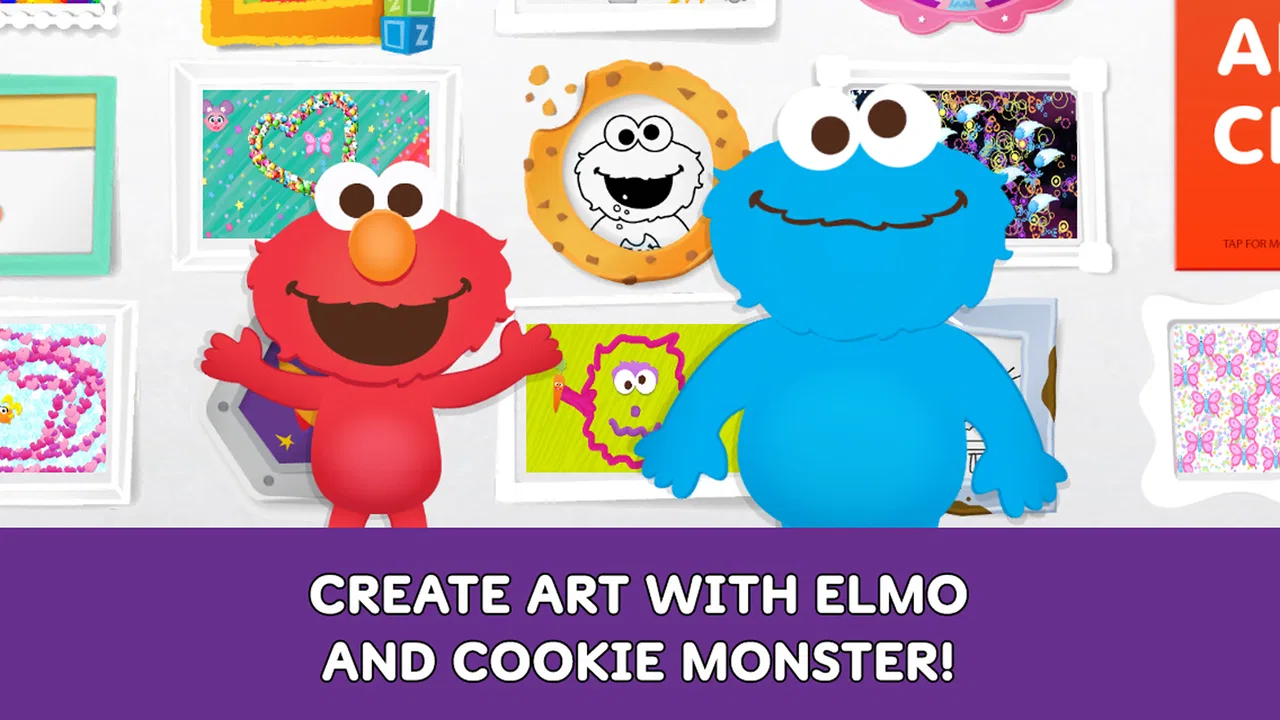
Sesame Street Art Maker is a creative drawing and coloring app designed for young children and families. It lets users create digital artwork using familiar Sesame Street characters, colorful backgrounds, stickers, stamps, and simple drawing tools. The interface is designed to be easy for children to explore, encouraging imagination and artistic expression without requiring advanced artistic skills.
02Is Sesame Street Art Maker suitable for young children?
Yes, the app is primarily intended for preschoolers and early elementary-age children, although parents can enjoy creating pictures with them as well. Its controls are generally simple and visual, making them easier for children to understand. Parents should still supervise younger users, especially when reviewing saved artwork, accessing device features, or checking any links and settings included with the app.
03What can children create in Sesame Street Art Maker?
Children can make personalized digital pictures by combining freehand drawing, colors, character-themed elements, stickers, stamps, and decorative backgrounds. The creative format allows them to experiment with shapes and scenes rather than simply completing fixed activities. Depending on the version and device, artwork may be saved to the app or shared through supported device options, so available tools can vary.
04Does Sesame Street Art Maker require an internet connection or include purchases?
The basic creative experience may work without a constant internet connection once the app and its resources are installed, but some features can depend on the specific release, platform, or downloaded content. Availability of advertisements, external links, or optional purchases may also differ between versions. Before allowing a child to use it independently, parents should review the store listing and in-app settings.
05Is Sesame Street Art Maker free to download, and where can it be installed?
Sesame Street Art Maker may be offered as a free download, although pricing and availability can change depending on the country, operating system, and current store listing. It is intended for supported Android or iOS devices, but compatibility should be confirmed before installation. Parents should download it only from the official Google Play Store or Apple App Store to reduce security risks.
Pros
- Simple tools make it easy for young children to create artwork independently.
- Familiar Sesame Street characters can make creative play more engaging.
- Sticker and drawing activities encourage imagination and self-expression.
- The app offers a relaxed
- non-competitive experience for preschoolers.
- Works well as a short
- screen-based creative activity for younger children.
Cons
- The creative tools may feel too basic for older children.
- Limited content variety can reduce replay value over time.
- Some activities may require adult guidance for younger users.
- The Sesame Street theme may not appeal to children unfamiliar with it.
- Performance can vary depending on the device’s age and available storage.

Sesame Street Art Maker
Gallery